See your Claude Fable reset passes in the extension and dashboard
Claude Tuner now shows how many Claude "Fable reset" passes you hold and when they expire. (v1.56.23)
What is it?
A usage-limit reset pass Claude gives with the launch of Fable 5.2. You use it in claude.ai Settings → Usage. It gives back the Fable usage counted against your weekly limit. It does not reset your whole weekly usage or your 5-hour limit, so we show it apart from your Full / 5-hour / Weekly reset passes.
Why we added it
Fable passes last a long time (they expire in March 2027), so they are easy to forget. Counted together with your other passes, they could look like they clear a limit they don't. So we count them separately and link to them only when they help.
Where to find it
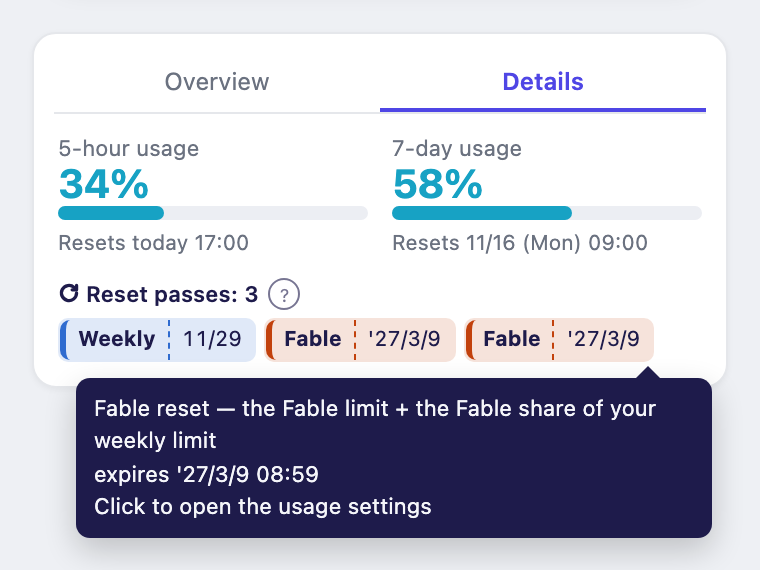
- Extension popup, Details tab: if you hold any reset pass, it now always shows on one line. Fable passes get their own "Fable" chip.
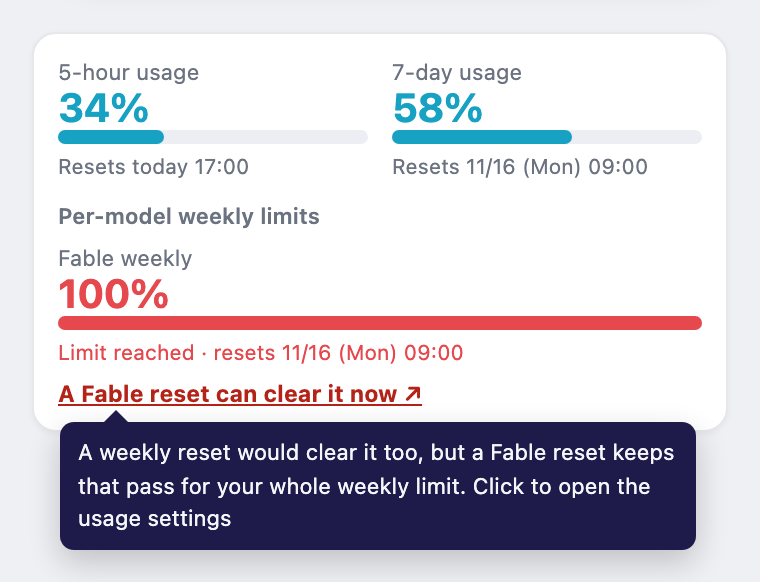
- Under the Fable gauge: when Fable is at 100% and your 5-hour and weekly limits still have room, you'll see "A Fable reset can clear it now ↗".
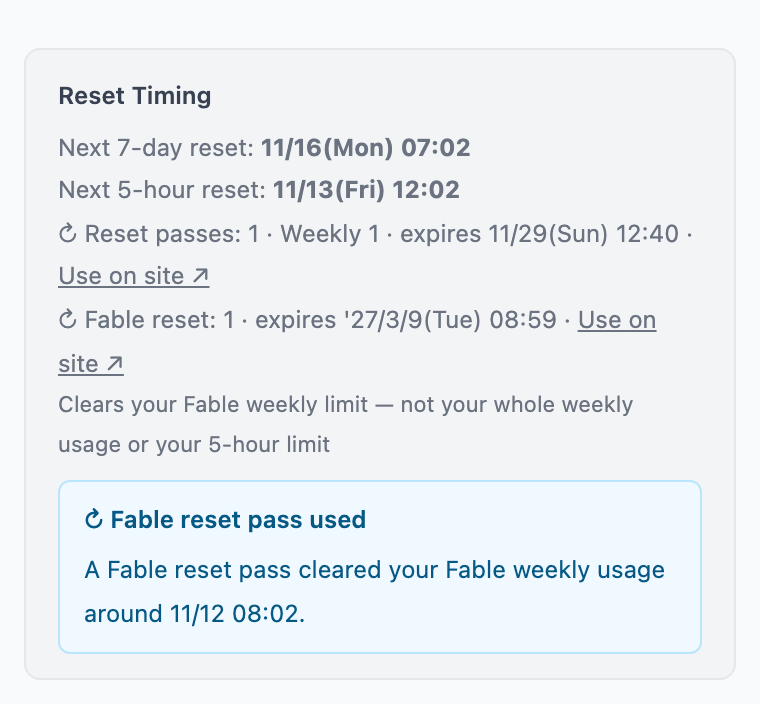
- Personal dashboard: the reset timing card shows your Fable passes and their expiry. When we can confirm you used one, it says "Fable reset pass used".
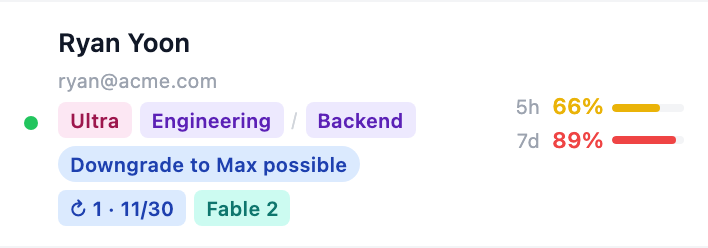
- Team dashboard (admins): the Passes column shows them separately, e.g. "Fable 2".
Expiry dates in another year show the year, like '27/3/9.
When and how to use it
The link opens claude.ai's usage settings, where you spend the pass yourself. Claude Tuner never uses a pass for you. It's most useful when your Fable limit fills up first. If you're blocked by your 5-hour or weekly limit, a Fable pass alone may not get you going again. Check your Full or Weekly passes instead.