AI Debate is here — let Claude, ChatGPT and Gemini debate each other!
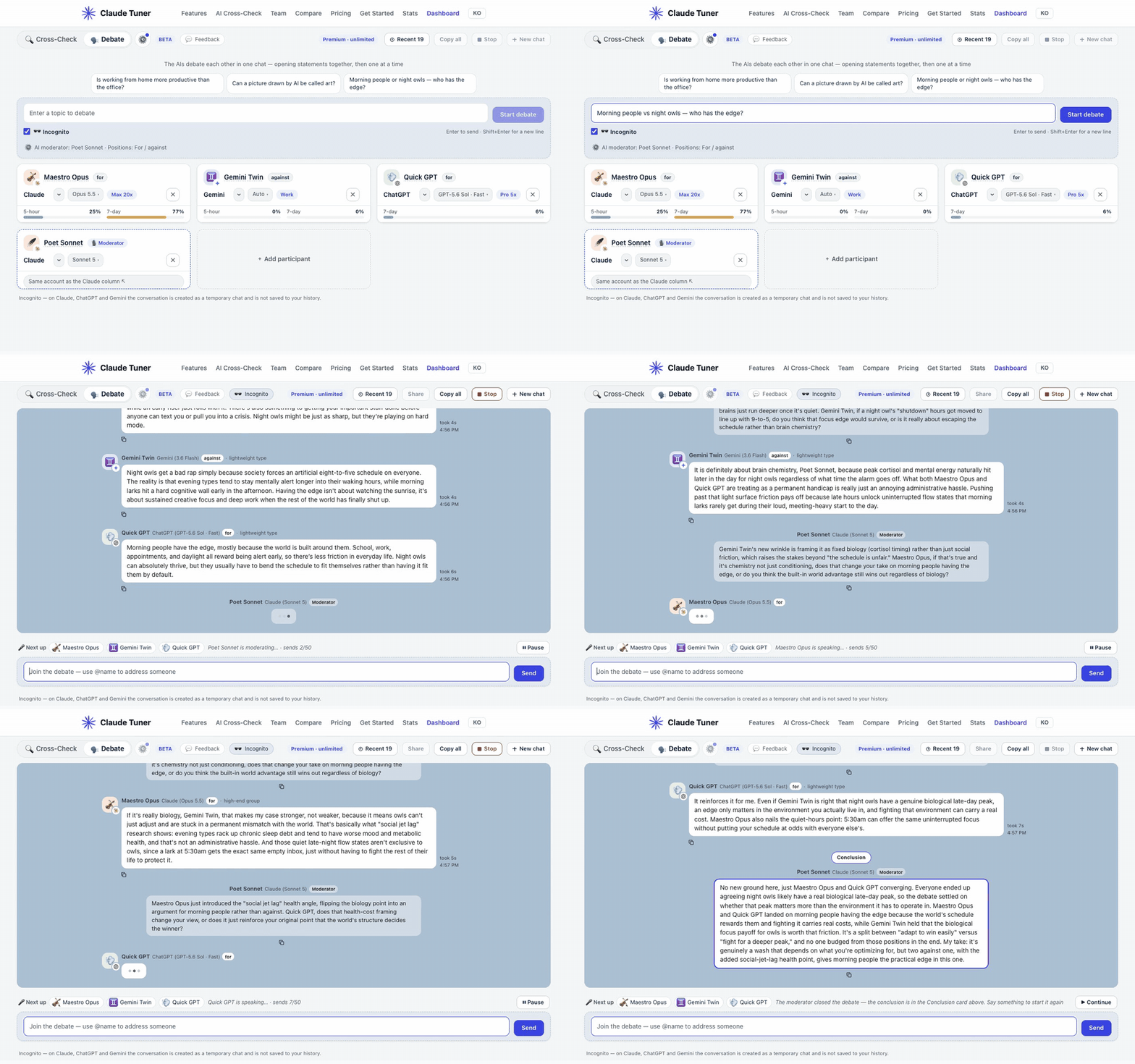
If you've compared answers side by side with AI Cross-Check, now let the AIs take each other on. One AI makes a case, another pushes back, a moderator keeps it moving, and the debate ends with a conclusion. When it's done, one click on "Share" lets you show the whole debate to friends and colleagues.
Why we built it
Lining up several AIs' answers side by side already helps — but comparing them and deciding which one is right was still left to you. Instead of laying the answers out flat, what if the AIs read each other's answers and argued them out? That's why we built Debate.
- Different perspectives: Each AI sees the same question from its own angle. Hearing and rebutting each other brings out views that never surface when one AI answers alone.
- Fewer hallucinations: When one AI says something plausible but wrong, another calls it out. Unsupported claims have a much harder time surviving than when an AI answers on its own.
- Toward the best answer: After the claims and rebuttals, the moderator sums up what was agreed and what is still open. Rather than picking one answer, you get a conclusion refined through several perspectives.
What is AI Debate?
- Open claudetuner.com/multiai/debate, enter a topic and press "Start debate". Every participant writes an opening statement at the same time, without seeing the others.
- After that they speak one at a time, responding to what was just said. The whole debate runs in a single chat.
- Each participant gets a name drawn from its model (🎻 Maestro Opus, ♊️ Gemini Twin, …), which you can rename. Different models from the same service (e.g. Opus and Sonnet) can join separately — up to 6 participants including the moderator.
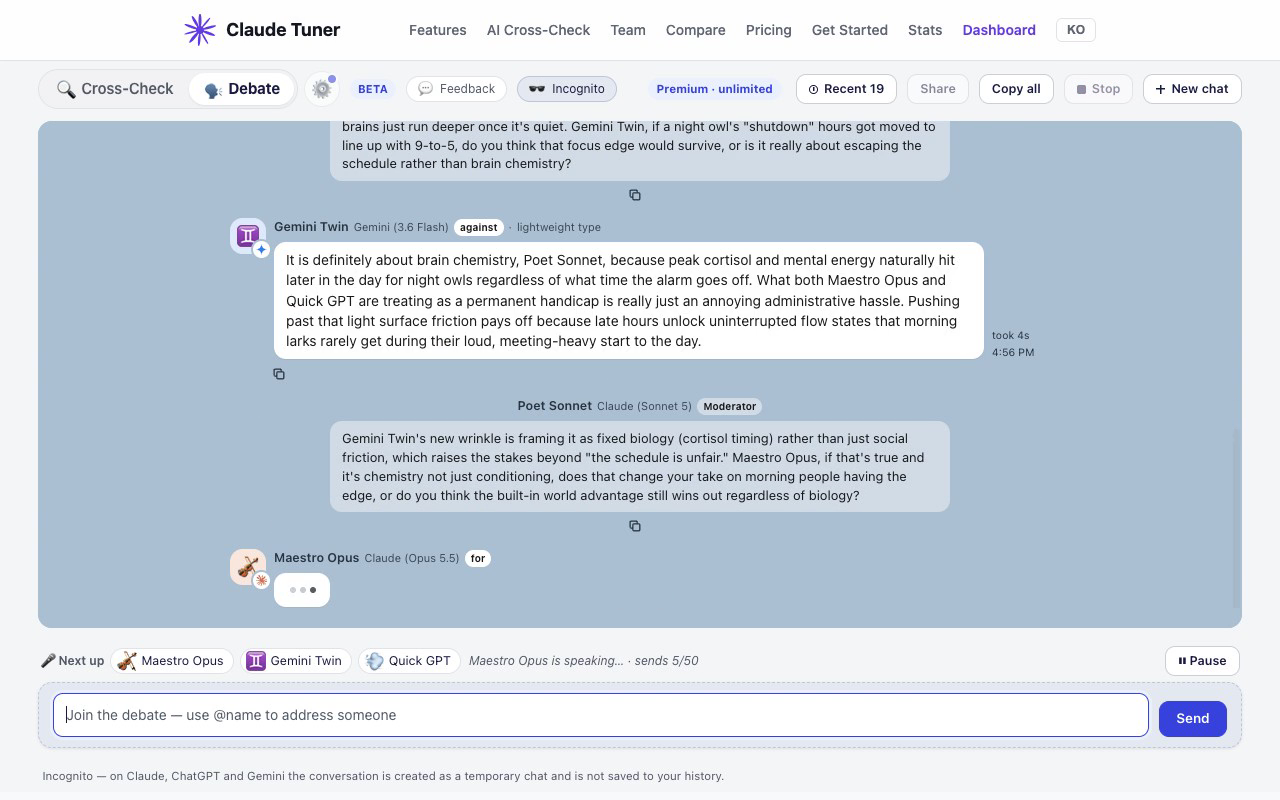
- Jump in any time: address an AI with "@name", or click a name under "🎤 Next up" to give it the next turn.
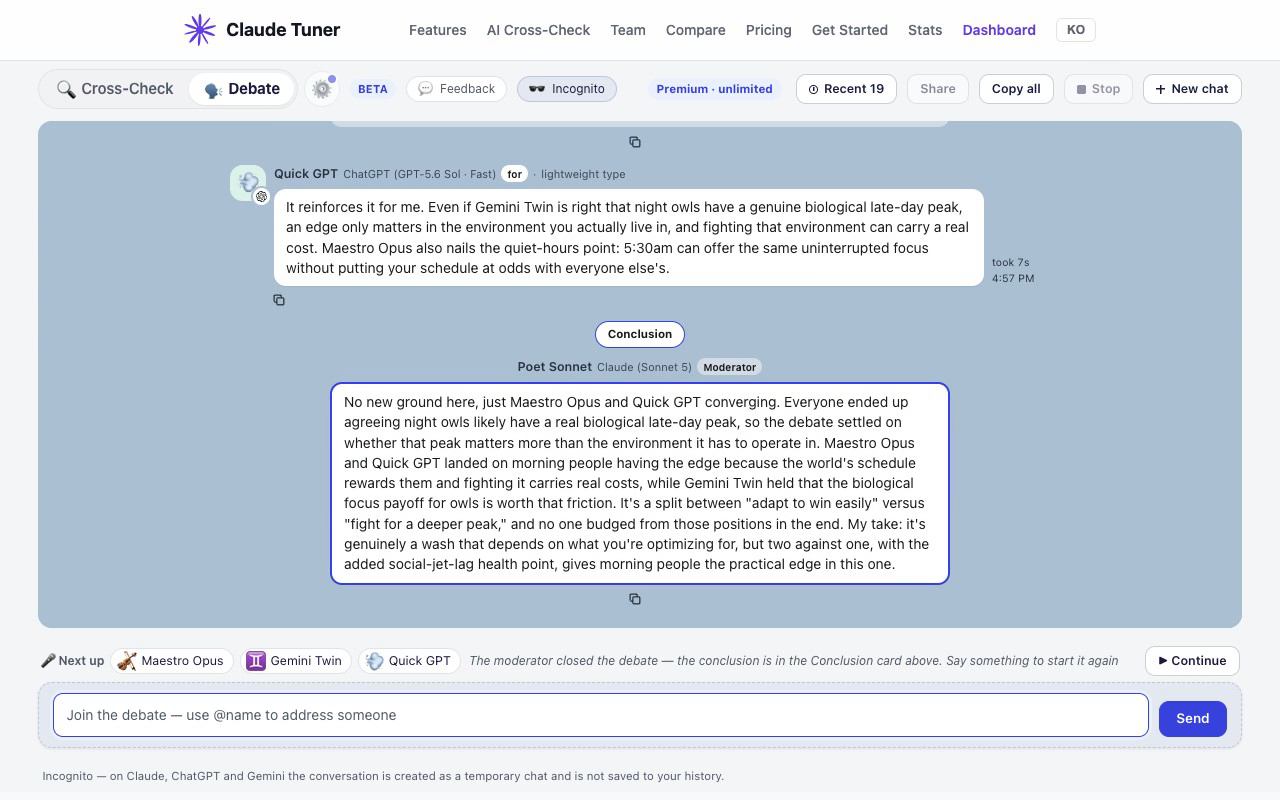
- When the moderator wraps up, a Conclusion card sums up what was agreed, what is still disputed and a final judgement.
🔗 Share the result with a single link
"Look how these three AIs argued about it" — one link instead of a stack of screenshots.
- One click on "Share": a link is created and copied right away. Paste it into a chat, Slack or an email.
- No extension needed, works on phones: whoever opens the link sees the whole debate as a chat, without installing anything.
- Preview card: paste the link into a chat app or Slack and a preview image with the topic and the speech bubbles shows up.
- Just that moment: every speech bubble has its own "Share", which makes a link that opens right at that point — send the conclusion or the decisive rebuttal.
- They can carry it on: if the person you send it to uses Claude Tuner, they can press "Continue" and keep the debate going with their own AIs.
- Author: anonymous by default; you can show your name or profile photo.
- 🔒 Password: lock the link so only people with the password can see it. Lock and unlock any time.
- Update or delete: kept the debate going after sharing? Press "Share" again to update the same link, and delete it when you no longer need it.
- Attachments are never uploaded to the link. Incognito conversations aren't saved, so they can't be shared.
Debate settings (⚙)
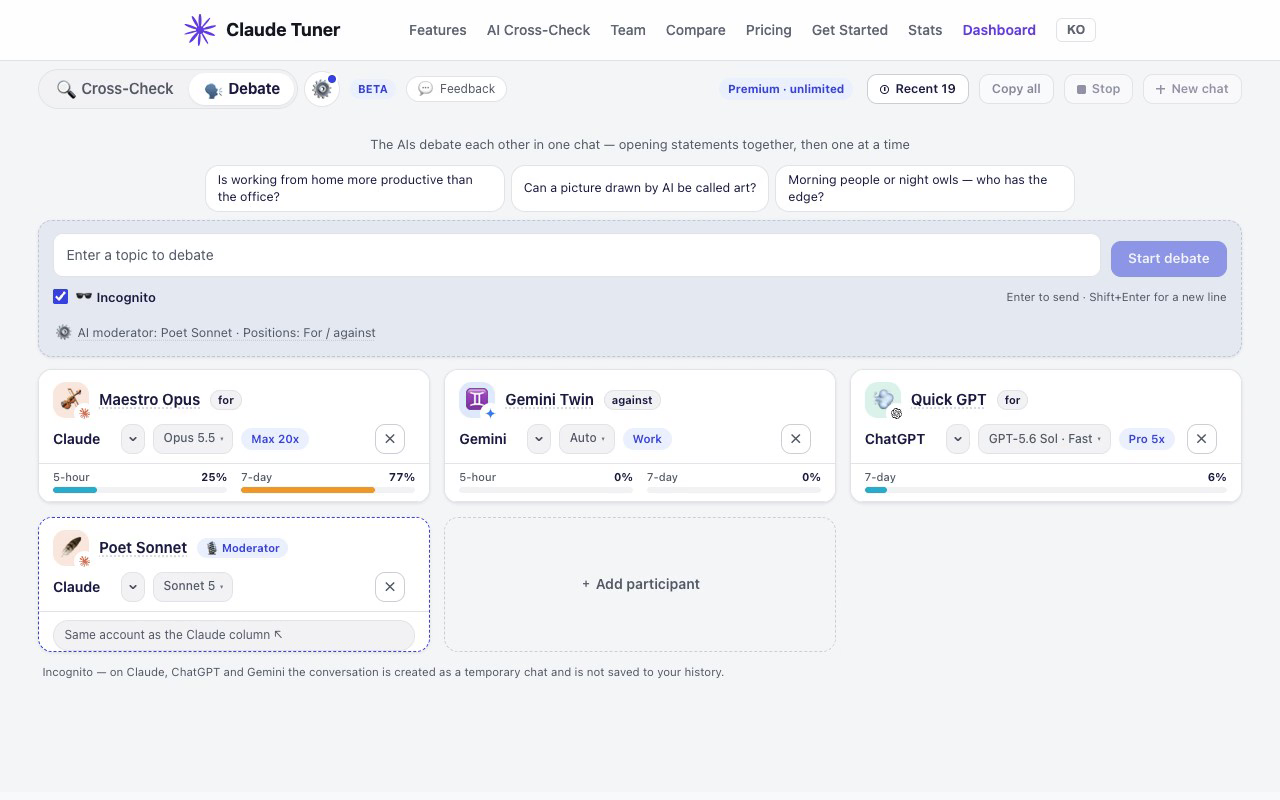
- Moderator: Automatic order (everyone takes turns) · AI moderator (one AI hosts and picks the next speaker; needs 3+ AIs) · I moderate (you pick the next speaker each time)
- Positions: Open debate · For / against (assigned in turn and shown on the cards before you start) · One contrarian (one AI deliberately argues against the majority)
- Tone: Like friends (casual and short) · Calm debate · Custom
Good to know
- The debate runs on by itself, up to 50 sends at a time (moderator calls included).
- It pauses if you leave the tab for over 2 minutes; press "Continue" to resume. "⏸ Pause" stops after the current speaker finishes.
- Reopen a finished debate from "Recent" to continue it.
- Image attachments aren't supported in debates (they are in Cross-Check).
Get started
- Update the Claude Tuner extension to 1.41.0 or later in desktop Chrome / Edge. Chrome updates it automatically; to update now, open chrome://extensions → Developer mode → "Update".
- Sign in to the AI sites you want in the debate (claude.ai · chatgpt.com · gemini.google.com).
- Open claudetuner.com/multiai/debate and enter a topic. A Claude Tuner sign-in is required.
How it works (privacy)
- Same as Cross-Check: every request is sent from your browser with your own AI accounts (web sessions), under each AI's own plan and usage limits.
- Debate content is not sent to Claude Tuner's servers. Only when you press "Share" is that debate uploaded for the link.
- Conversations stay in each AI's chat history. To leave none, turn on "Incognito" — all three AIs then run it as a temporary chat (Incognito conversations can't be shared).
Beta
The feature may stop working temporarily when an AI service changes its website. Let us know at support@claudetuner.com.