Team Claude Cost Optimization Feature Launch
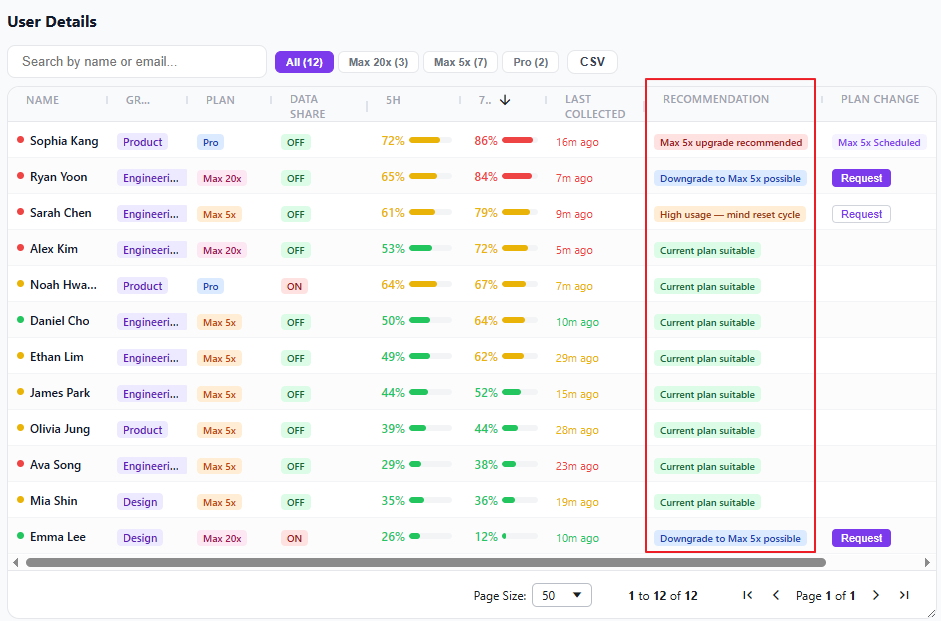
1. Improved Plan Recommendation Logic
We analyze each member's average and peak usage (5h/7d) over the last 14 days to recommend upgrades or downgrades.
- Mid-month plan changes are accurately reflected using historical data from the previous plan
- Recommendations come in two levels: Recommended (high confidence) / Possible (savings opportunity)
- You can also check per-plan fitness on your personal dashboard's Plan Fitness Matrix (results may differ from team dashboard as the evaluation method differs)
2. Team Dashboard — Cost Tab
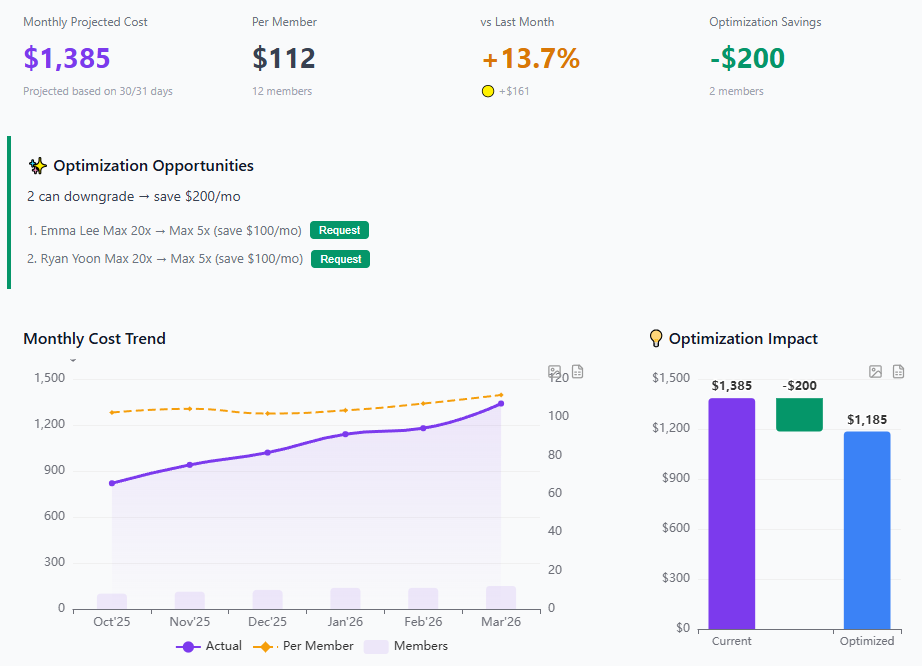
A new Cost tab has been added to the Team Dashboard.
- KPI Cards: Monthly projected cost, per-member average, month-over-month change, optimization savings
- Optimization Impact chart: Waterfall visualization of current cost → savings → optimized cost
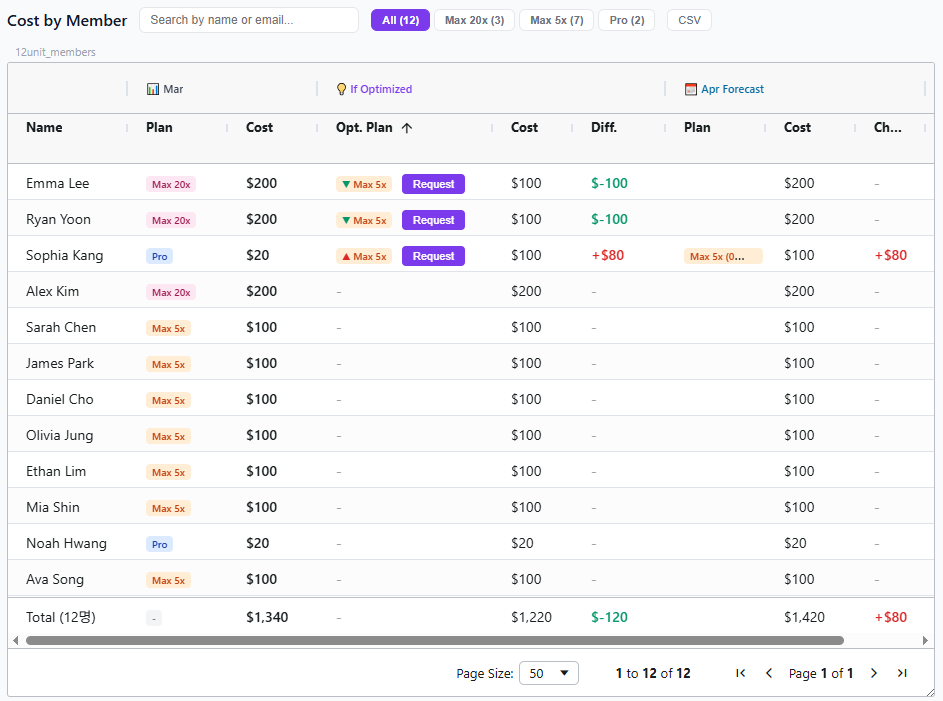
- Member cost table: Compare current cost, recommended plan, and next month projection at a glance
- Hover over any cost cell to see the proration breakdown (plan periods, calculation formula)
- Check sample page : https://claudetuner.com/dashboard/team/?demo=true&lang=en&tab=costs
3. Plan Change Request System
Admins can now request plan changes directly for team members.
- Click the 'Request' button in the Cost or Overview tab
- Select the target plan and send the request
- Members receive a notification via the extension + email
- Members can approve or reject the request
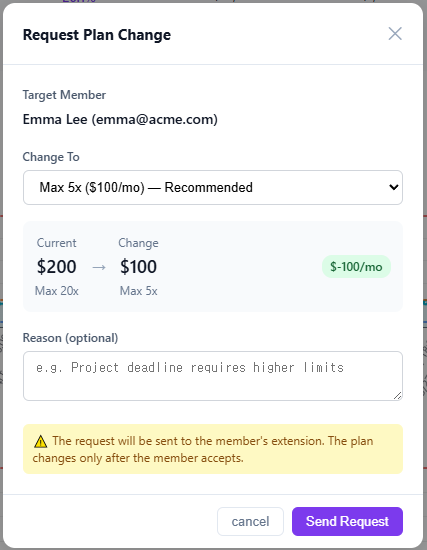
Upgrades take effect immediately upon approval. Downgrades take effect on the next billing date. Requests are valid for 7 days and expire automatically.
Team Standard/Premium plans are managed at the organization level by Anthropic, so the request button is not available for these plans.
4. Auto-Approve Setting
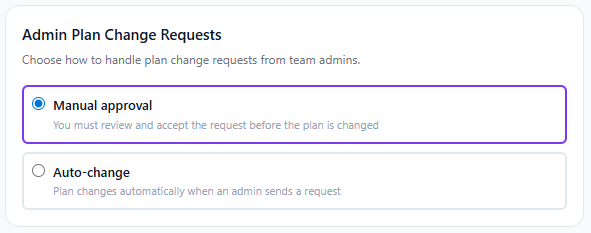
If you'd rather not review each request, go to Dashboard Settings (claudetuner.com/dashboard/settings/) and set 'Admin Plan Change Requests' to 'Auto-change'. Plan changes will be applied immediately without your confirmation.
The default is 'Manual Approval'.