See your usage limit reset passes right in the extension
Claude Tuner now shows the usage limit reset passes your accounts hold, all in one place. (v1.55.1)
What is a reset pass?
Claude and ChatGPT sometimes give you reset passes that refill your usage limits right away. When you hit a limit, using one lets you keep working without waiting for the scheduled reset.
- Claude: a full reset refills your 5-hour and weekly usage limits; a 5-hour reset refills your 5-hour limit.
- ChatGPT: restores your 5-hour limit, weekly limit, or both. It applies to Codex and Work limits only, not chat.
- Every pass has an expiry date. If you don't use it in time, it's gone.
Why we added this
Reset passes sit deep in each site's settings, so many people don't know they have one. They end up waiting a day at the limit with a pass in hand, or let it expire unused.
Claude Tuner already shows your usage and when it resets. Putting your passes right next to that lets you decide in one place whether to wait or use a pass.
Where to find them
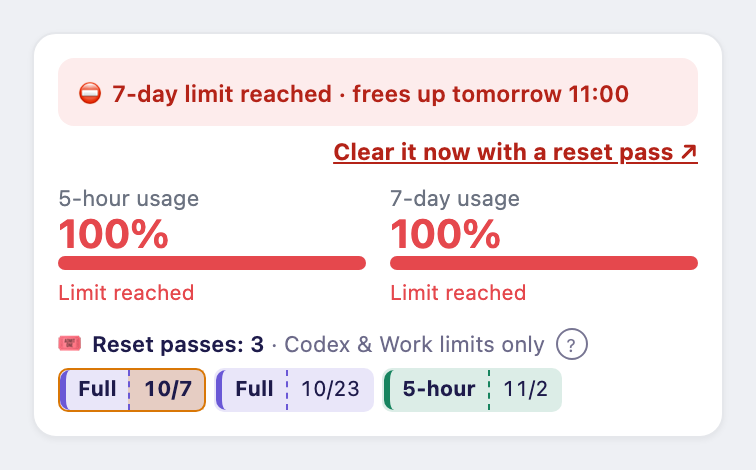
- Under the gauges in the popup and side panel, each pass appears as its own ticket with its kind (Full, 5-hour, Weekly) and expiry date. Passes expiring within 3 days are shown in amber.
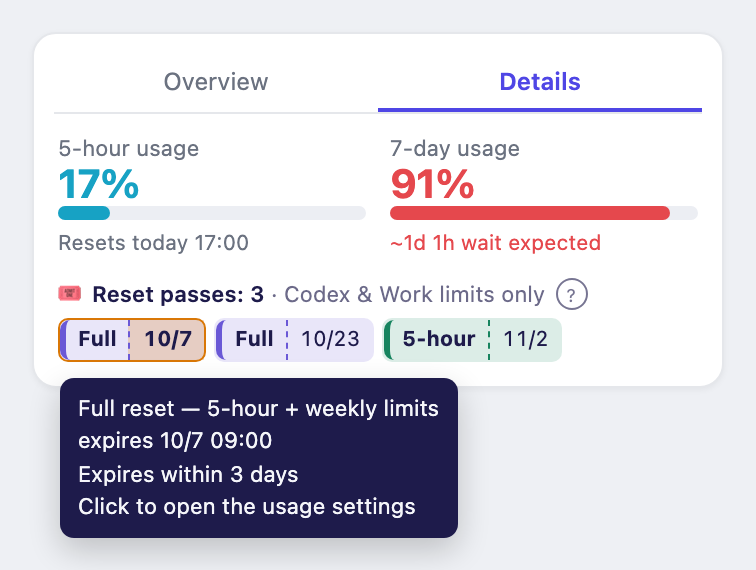
- The same line appears in the sidebars on the Claude and ChatGPT pages.
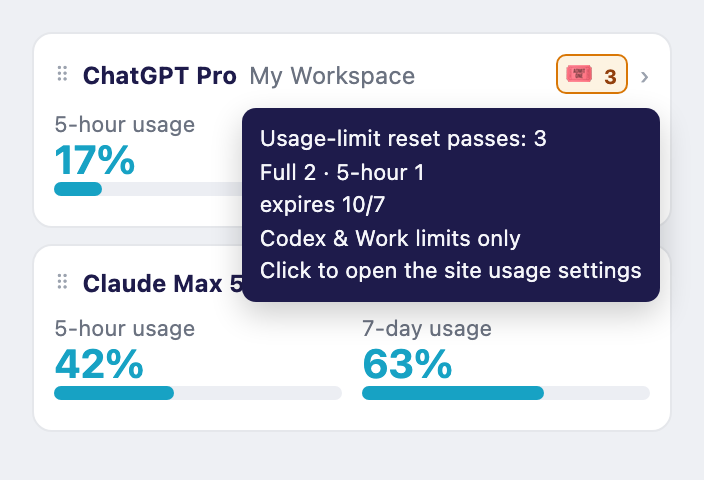
- Hover the 🎟 icon on an overview card to see how many you hold and when they expire.
When you hit a limit
- If a pass can lift every limit you're blocked on right now, you'll see "Clear it now with a reset pass ↗". Clicking it opens the site's usage settings, where you can use the pass.