Team Identity Settings — Logo upload + Name/Org visibility
Choose how you and your team show up
Three team identity settings landed in Claude Tuner:
- Team logo upload (admin, new)
- Personal name visibility
- Organization name visibility (admin)
🏷 Team Logo Upload (admin)
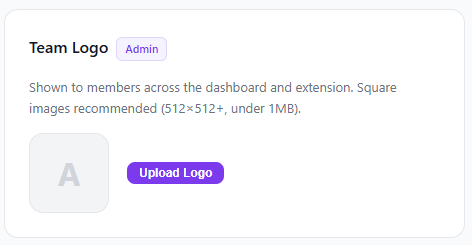
Go to Dashboard > Team > Settings > Team Logo and upload an image. Your logo appears in:
- Dashboard header — next to the team name
- Daily email report header — team identity in every report
- Invite link page — first thing new members see
Built-in 1:1 cropper lets you pick the exact area. WebP/PNG/JPG (up to 5MB) supported, changes apply immediately.
🙍 Personal Name Display (Settings page)
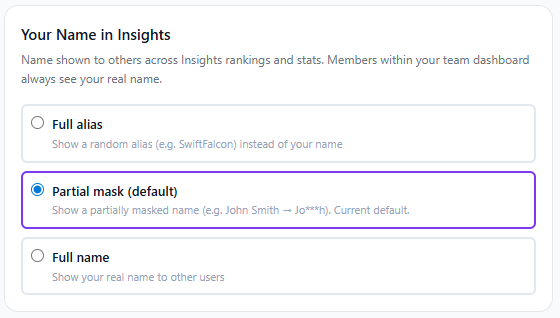
Go to Dashboard > Settings > Name Display and pick one of three:
- Full alias — Display a random English alias (e.g. SwiftFalcon). Full anonymity. Editable and regenerable.
- Partial mask (default) — Partially masked name (e.g. John Smith →
Jo***h) - Full name — Real name visible to other users
Your own screen always shows your real name; this only controls how other users see you.
🏢 Organization Name Display (Team > Settings, admin only)
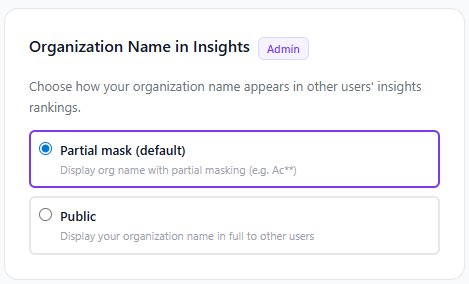
Organization admins can choose in Team > Settings > Organization Name in Insights:
- Partial mask (default) — Masked org name (e.g. Google →
Go***e) - Public — Full org name visible to external users
Members within your organization always see your real org name/logo; the setting only affects external users.
🤔 Which option should I pick?
Reasons to mask
- Want to be hard to identify in any context
- Even with masking in place, any exposure of your usage feels like a privacy concern
Reasons to go public
- Show off your (or your team's) high Claude usage — personal branding, "AI-forward company" signal
- Recruiting / marketing
- Let colleagues recognize you so they can share tips and learn from each other
For team logos, just uploading one instantly brands your dashboard, emails, and invite pages together.
⏱ When do changes take effect?
- Team logo: applied immediately on upload
- Name/Org visibility: reflected in Insights rankings within ~1 minute (cache TTL)
Feedback and questions always welcome.